If you are installing creative cloud and you get the Installation failed message….. Please refer to PDApp.log for more information. Click here for help. which takes you to the default Adobe website listing common errors.

anything and everything related to your Mac, from the basic setup to the advance user its all here at macuser
If you are installing creative cloud and you get the Installation failed message….. Please refer to PDApp.log for more information. Click here for help. which takes you to the default Adobe website listing common errors.
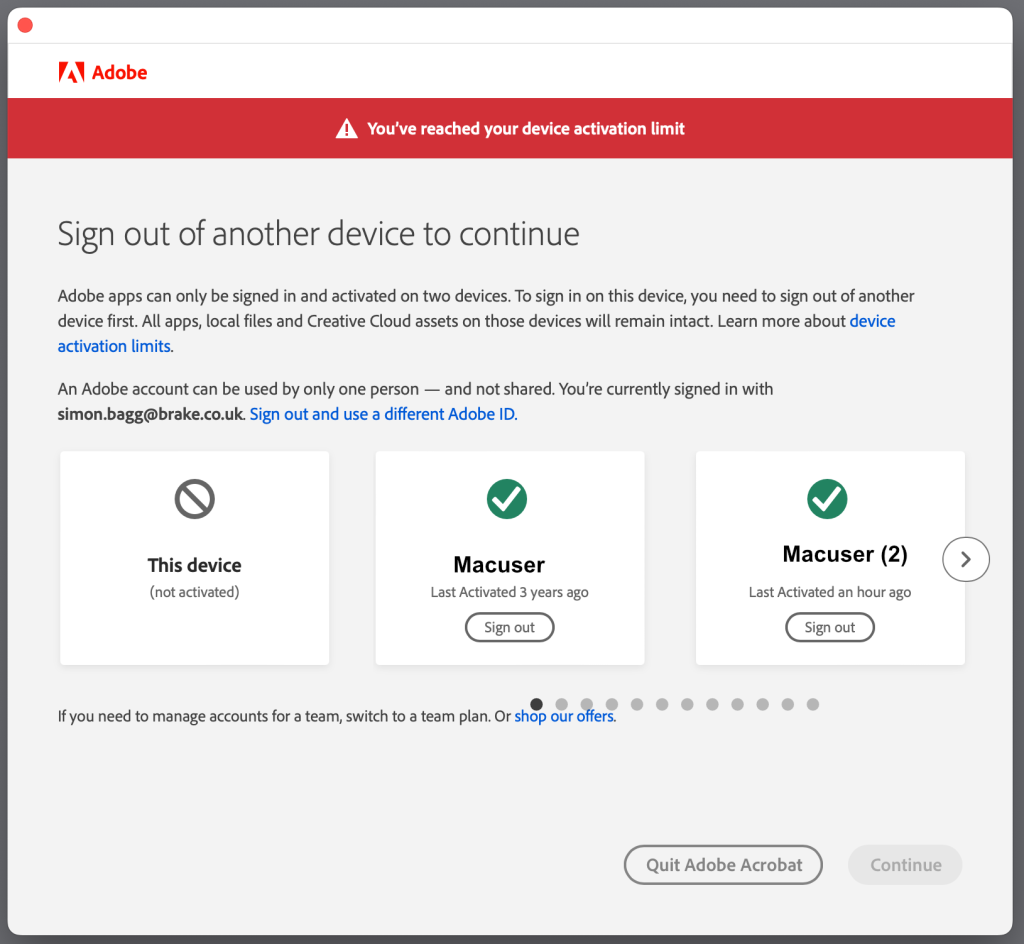
If you get this error you reached your device activated limit I would recommend you look at your Creative Cloud account online.
To Manage your Adobe Creative Cloud account the best method is to go to Creative Cloud link.
From here you can see your product profile account.
Continue reading “Adobe Licence Management”
Ever since Adobe moved to a subscription based system there has been a scramble to keep the old versions of the Adobe suite on your Mac. With a machine still running the old OS like Mojave (macOS 10.14) you can still use the old version of the Adobe products without paying the subscription based system. When you go to Catalina 10.15 which was the first OS that was a true 64 Bit version of macOS the old Adobe Product wont work along with a few other products like Office 2011 and some Steam games for Mac like Call of Duty 4: Modern Warfare to name just a few. In short anything 32 Bit stops working unless you have a 3rd party app to allow it to run on 64 Bit. Outside of keeping an old Mac to run your very old version of Photoshop you are forced to look either to the subscription based Adobe Cloud version or look for a new product to use.
Continue reading “Affinity Bundle instead of using Creative cloud”I deal with a lot of Adobe offline clients and there always seems to be a challenge to reactivate a licence that has expired.
In this article I am going to show how to deploy an Adobe offline build using the Adobe licensing Toolkit and the adobe console to build the package to then download and deploy. Adobe call it Isolated activation packages.
This walk through will be for both Windows (Yuck) and Mac bases OS.
Tools your going to need
Here is a A simple tip on how to upgrade your Flash Player to the newest version from Adobe and and a simple finder tip for favourites and how to make your hard drive appear on the desktop.