This video we show you how to replace a Battery for a MacBook Pro using a 3rd party battery with no need to swap the top case unlike a Apple repair.
Continue reading “MacBook Pro Battery Swap – Full Repair Tutorial”How to Migrate from an M1 Silicon Mac to an M4 Silicon Mac
Upgrading from an Apple Silicon M1 Mac to a newer M4 Mac is one of the smoothest platform transitions Apple offers. Because both machines run on Apple Silicon and macOS, compatibility issues are minimal, performance gains are immediate, and migration tools are mature and reliable.
This article walks you through planning, migrating, and optimizing your setup when moving from an M1 Mac to an M4 Mac.

How to replace a MacBook Pro Battery 2012- 2015
So if you have an old MacBook Pro (MBP) laying around and the only issue is it does not hold the charge it might be worth looking for a 3rd party battery replacement.

These machines still run Monterey (12.7.6) though not supported by Apple the software is still sound and ideal for a machine that needed for basic surfing etc.
Continue reading “How to replace a MacBook Pro Battery 2012- 2015”Unboxing the new MacBook Pro M4
Here is a short unboxing video of the New MacBook Pro 14:” M4 from Apple. A very powerful machine with the new M4 processor.
MacBook Pro AirPort/Bluetooth Card Replacement
How to install macOS on a machine that is formatted to NTFS

The scenario is a machine has had its hard drive replaced with a windows Operating System. On the boot menu you don’t get the option to boot to a USB or the recovery software from the Internet option.
Continue reading “How to install macOS on a machine that is formatted to NTFS”MacBook Pro SSD upgrade and Replacement
Here is a quick video on how to upgrade a SSD on a MacBook Pro from 2012 – 2015.
Continue reading “MacBook Pro SSD upgrade and Replacement”How to update your usb external drive build 14 Sonoma
In this video we are going to go through how we would run our software update of our External Booted Drive running Sonoma.
Error code 21345 how do we fix it
So running into this error its usually to deal with the communication error with the printer and the Mac. How do we fix it without buying a new printer.

Bests Hardware for Final Cut Pro
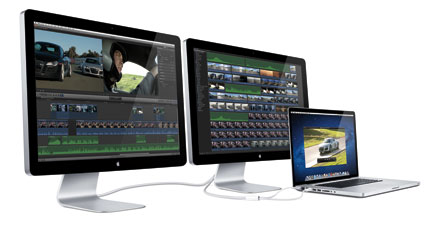
For the best hardware to run Final Cut Pro (FCP) smoothly, you’ll want a system optimized for video editing, especially for 4K, 6K, or even 8K workflows. Depending on your budget and how you intend to work will influence the choice. Here are the key components to focus on: